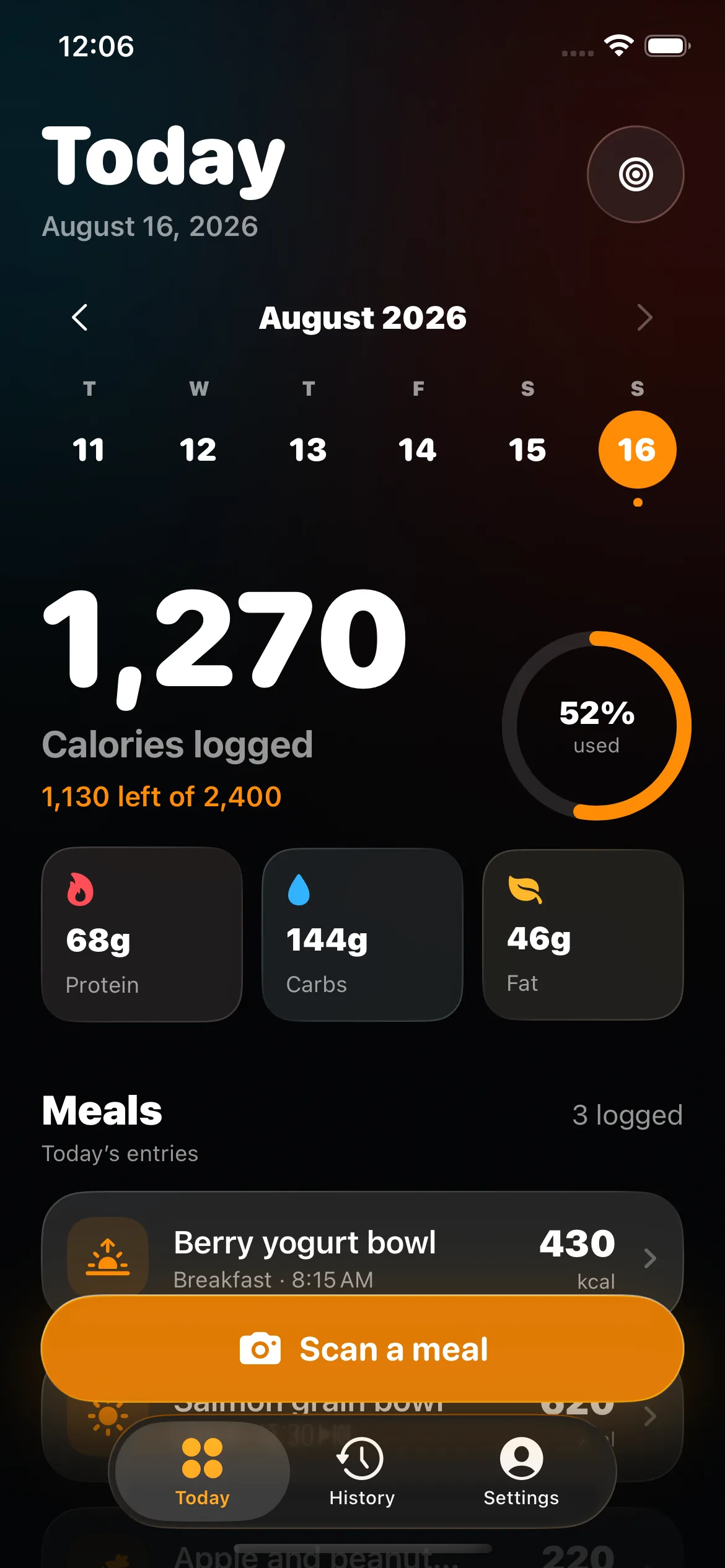
Photo food logging is a fast starting method, not an invisible promise of precision. A meal image can preserve useful context and reduce the work of creating the first entry. It cannot reveal exact weight, a complete recipe, or ingredients hidden inside a dish. BiteHalo therefore keeps the recognized foods, serving sizes, calories, and macros open for review.
How BiteHalo turns a meal photo into a food log
The workflow begins with the image you take on your iPhone. BiteHalo looks for visible food components, creates a provisional food list, and associates each component with an estimated amount and nutrition record. You see the result as a meal you can inspect—not as a single calorie number with no explanation.
If the photo shows chicken, rice, roasted vegetables, and a sauce, those components should appear separately. You can rename a food, add something that was missed, remove an incorrect match, or replace an estimated serving with an amount you know. Once the meal reflects the evidence you have, save it to your daily calorie and macro view.
What makes a useful meal photo?
Include the entire plate or container, use ordinary bright light, and avoid covering the food with a hand, utensil, napkin, or package. An overhead image is good for showing how much space each food occupies. A slight angle can provide depth for stacked foods, bowls, and tall portions. For a complex meal, one clear image plus a short description can be more informative than an artistic close-up.
Keep the plate in frame and use a familiar object—such as standard cutlery or the plate itself—as a rough visual reference. This does not turn the image into a scale, but it reduces ambiguity. When two foods look similar, add their names. “Couscous with chickpeas” gives the estimate more context than an unlabeled pale grain.
Why exact portions remain difficult
A camera records a two-dimensional view of a three-dimensional meal. The same amount can look different on a wide plate, in a deep bowl, or from a low angle. Dense foods also carry more energy per visible volume than foods with more water or air. A spoonful of oil and a spoonful of salsa occupy similar space but do not contribute the same calories.
Research comparing photographic records with weighed records shows that photographs can support dietary assessment, while individual portion errors can still be meaningful. That is why a known weight, package serving, or measured recipe should replace a visual guess whenever it is available. Read the evidence and limitations in our guide to AI calorie tracker accuracy.
Hidden ingredients deserve a separate check
Cooking oil, butter, cream, sugar, dressings, marinades, and ingredients mixed into a casserole may not be visible. A photo can identify the apparent dish without knowing its exact composition. Before saving, ask what was used during preparation and whether a sauce or drink sits outside the frame.
For home cooking, a saved recipe or checked repeat meal is usually a stronger source than analyzing the same dish from a new photo every time. Use the first image to build the entry, confirm the recipe and serving, then reuse the checked version when the preparation remains similar. See our practical guide to estimating homemade meals.
Photo logging works well with other inputs
A meal does not have to stay inside one capture method. Photograph a restaurant plate, then use voice to identify the sauce and preparation. Scan the packaged yogurt beside a bowl, then use the photo for fruit and granola. Capture the label on a bottled drink while keeping the main plate as a photo estimate.
This hybrid approach lets each source do the job it handles best. The photograph preserves the visible meal, a barcode identifies a specific packaged product, a label supplies the manufacturer’s serving values, and your description adds context that the camera cannot see.
Review the parts before trusting the total
If the calorie estimate looks wrong, do not change the total blindly. Check whether the problem is food identity, a missing component, portion size, or recipe composition. Correcting the stage that failed produces a more understandable entry and makes it easier to reuse later.
- Food identity: replace a visually similar but incorrect food.
- Missing component: add drinks, sides, dressings, or toppings.
- Portion: enter a known weight, household measure, or serving fraction.
- Composition: adjust the recipe or add meaningful ingredients such as oil.
When a photo should not be the final source
Use a package label for a packaged food, an official restaurant listing for a standard menu item, or a weighed recipe when the information is available. A photo is most valuable when stronger evidence is absent or when capturing the meal quickly is the difference between recording it and forgetting it.
Consumer photo estimates should not guide medication dosing, allergy decisions, eating-disorder treatment, pregnancy nutrition, or management of a medical condition. BiteHalo is an informational logging tool, not a medical device. The goal is a faster, reviewable record for everyday awareness—not laboratory measurement from a phone camera.
A calmer photo-logging routine
- Photograph the complete meal before eating.
- Add a short description when the dish or ingredients are ambiguous.
- Confirm the recognized food components.
- Replace estimated portions with known amounts when possible.
- Add hidden ingredients and anything outside the image.
- Save the corrected meal and reuse it when it repeats.
That sequence keeps the convenience of a camera without hiding the limits of an estimate. BiteHalo handles the first pass; the final log remains yours.